none
Deliverability
Deliverability
Emails
Tips
Deliverability & Email Chaos Theory: The Basics
April 15, 2026
Series Edition: Section 1 - The Basics
Why Your Emails Might Be Going to the Spam Folder
A Stat That Should Scare You
The thing is, 1 in 6 actual emails never makes it to the inbox.
Not spam, not wrong addresses, actual emails from actual companies to actual people who opted in to receive them. Poof, gone!
If you've ever sent 1,000 emails in the past month, you've probably already lost 170 of them to the spam folder or bounced before anyone ever sees them. If you've ever sent 100,000 that's 16,900 emails that no one will ever read.
And the worst part is, you probably don't even know it's happening!
Most people look at their email reports and they say, "Sent: 10,000 | Delivery Rate: 99%." But that 99% "delivered" rate doesn't tell you if they were delivered to the actual inbox or the actual spam folder. That's two totally different results.
So... What Even IS Email Deliverability?
Email deliverability is a simple idea, but messy in practice:
It's the question of whether your emails actually show up in people's inboxes, not spam folders, not promotional folders, not nowhere folders.
That's it. That's the whole idea.
Deliverability is not about getting your email out the door from your server. You can send an email with no problem, but it can end up in a spam folder. Deliverability is the difference between "sent" and "seen."
Here's a way to think about it:
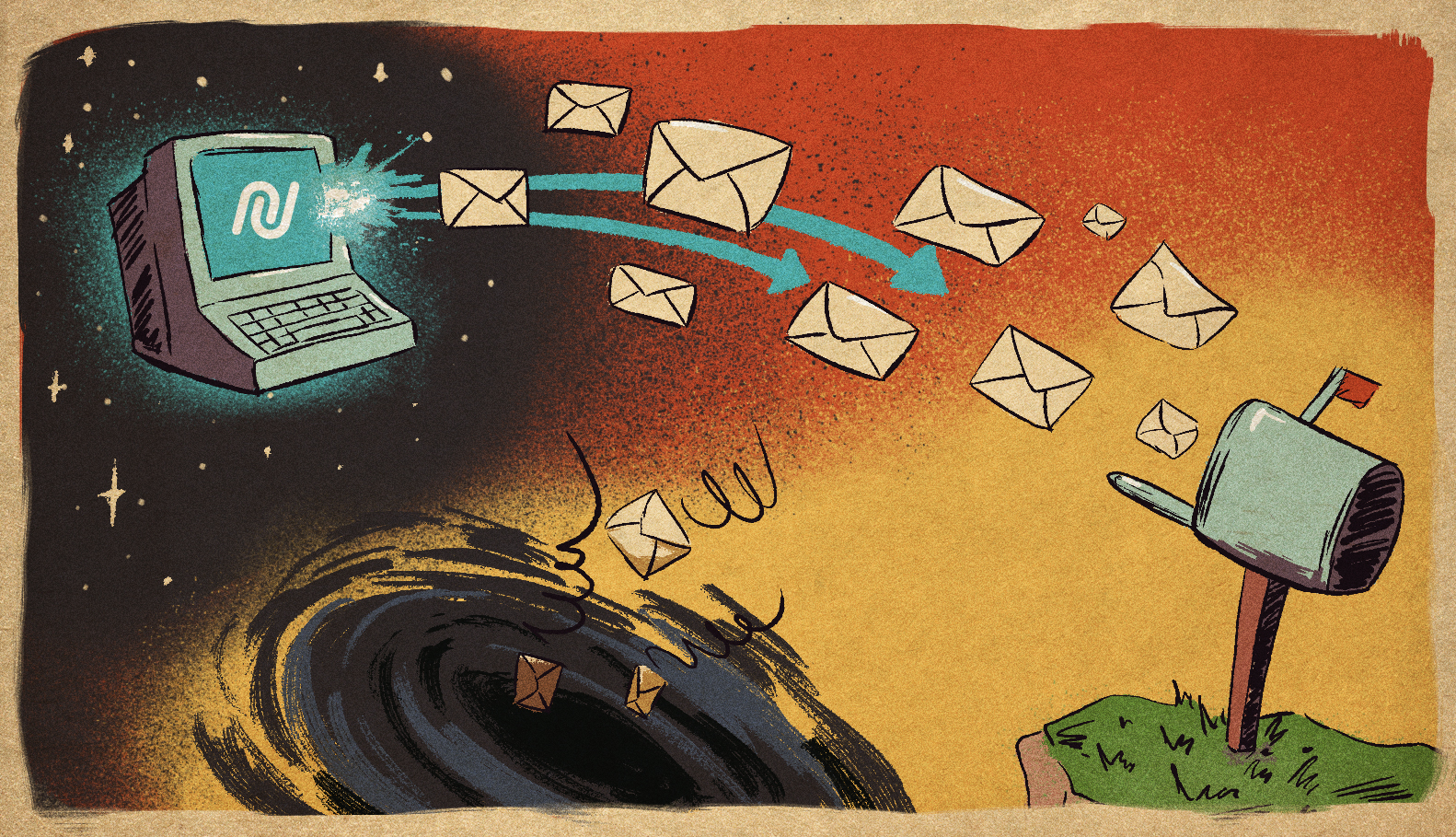
Sending an email is like putting a letter in the mail. Deliverability is like getting it delivered to the doorstep, rather than the junk mail heap.
Deliverability vs. Inbox Placement: What's the Difference?
This is where a lot of confusion happens. These two terms get used interchangeably, but they're not the same thing.
Metric | Email Deliverability | Inbox Placement |
Definition | Whether your email is technically delivered to the mail server without being rejected (bounced). | Whether your email actually lands in the recipient's primary inbox (not spam, promotions, or tabs). |
What It Measures | Technical acceptance by mail servers. Bounces (hard/soft). | Success with spam filters. Whether algorithms let it through. |
Typical Rate | 98-99% (if your list is clean) | ~83% (industry average) |
The Trap | You think you're winning. The email reached a mail server, so it's "delivered." | But it's sitting in spam. Nobody sees it. No engagement. Lost opportunity. |
So, here’s the real talk: a 99% delivery rate means nothing if only 75% of those emails get into the inbox. You’re celebrating your emails making it to the mail server while your revenue opportunities are in the spam folder.
Why Should You Even Care?
Because it impacts your business in three ways:
1. Revenue loss before anything else happens
If 17% of your emails don't make it to your customers' inboxes, that's 17% of your sales, customers, sign-ups, or engagement that just... disappears. Before they even see your email, before they decide to not buy from you, before anything, and nothing happens. That's money on the table that you'll never see.
2. Your sender reputation gets damaged
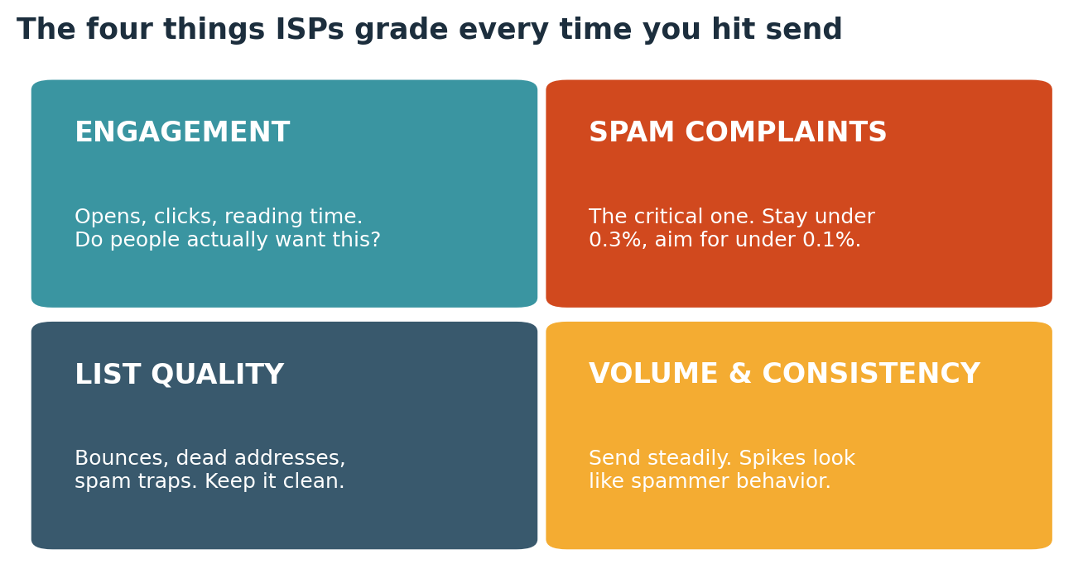
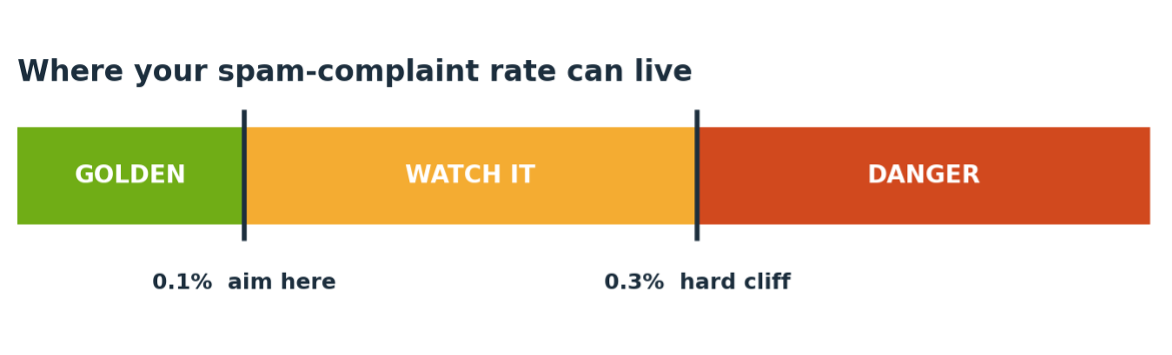
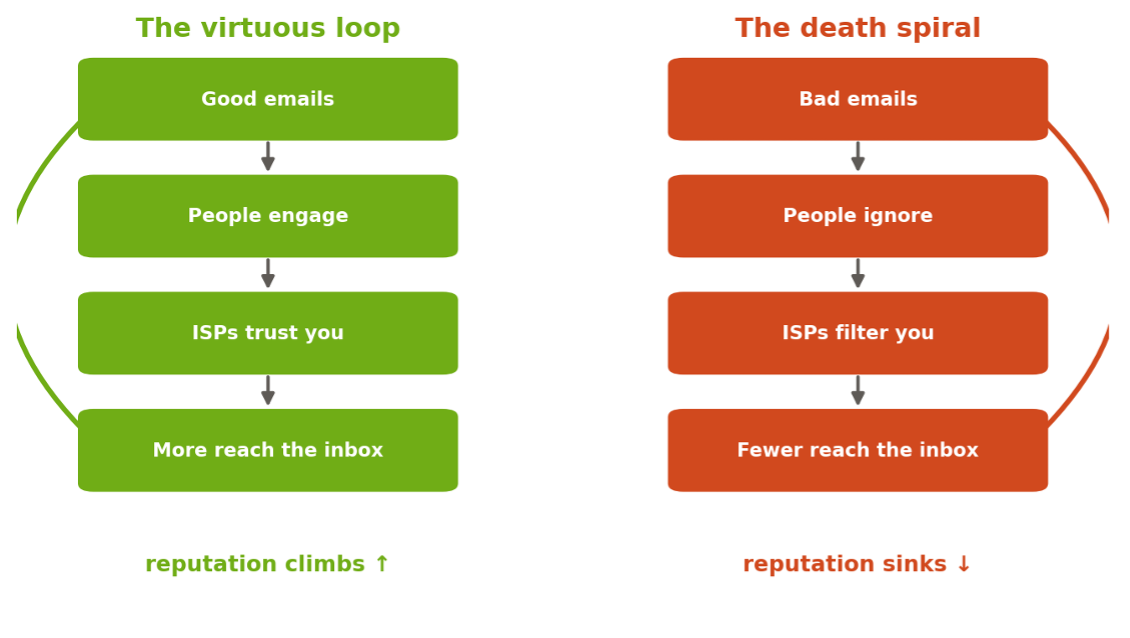
ISPs (Gmail, Outlook, Yahoo, and so on) monitor your email performance. If people are ignoring your emails, deleting your emails, and marking your emails as spam, an ISP will be thinking: "This email sender is not trustworthy." And the worse your reputation gets, the stricter their spam filters will be on your emails. So, your best emails will end up in spam because an ISP already determined that you're a suspicious email sender.
3. Trust is lost, and it happens quietly with each unseen email
Your customers will unsubscribe from your emails because they never see your emails in their inboxes. Your open rates will be terrible. Your team will wonder if email marketing is even working anymore. Meanwhile, email deliverability is quietly slipping under the radar.
The Chaos Part: Dozens of Systems Are Judging Your Emails
Here's where it gets crazy.
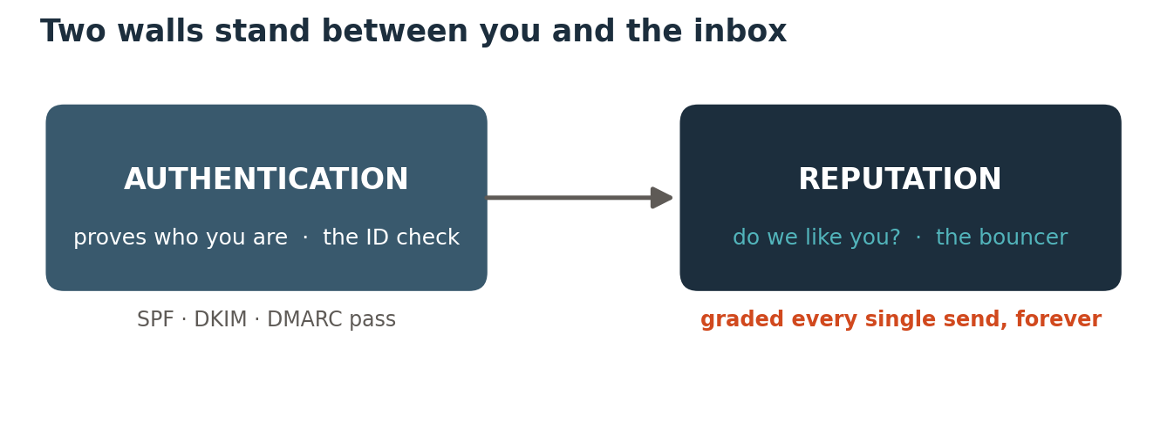
Because when you hit "send" on that email, it doesn't go directly to that person's inbox. Before that happens, it has to go through dozens of invisible checks and filters, all at the same time, all with different rules.
Gmail's got its own algorithm. Yahoo's got its own rules. Outlook's got its own rules – and they're all totally different. And then there are all the authentication systems like SPF, DKIM, and DMARK (don't even get me started on those).
Then there's your reputation score as a sender, and your domain's reputation score, and how many people are actually engaging with your emails, and whether or not you're accidentally sending spam keywords in your content...
And that's still not even all of it.
Each one of these email providers has its own way of doing things, its own way of weighing all these different variables and determining whether to deliver your email.
It's chaos. Beautiful, algorithmic, invisible chaos.
But here's the good news: it's not random chaos.
There are patterns and rules and things that you can control.
And that's what this whole series is about.
The Real Question
Before we delve deeper into who and what is responsible for checking your emails, ask yourself:
Do you know what percentage of your emails actually land in the inbox today?
Not sent. Not delivered. Land in the inbox. Where actual humans can see them.
If you don't know the answer to this question, it's totally fine. You're not alone. Most teams don't track it until something goes wrong. But the space between "sent" and "seen" is where all your problems reside.
In the next section, we'll be introducing you to the unseen actors in your email's journey: the ISPs, spam filters, authentication protocols, and algorithms working together to determine your email's fate.
Spoiler alert: it's going to change everything.
Key Takeaway
Email deliverability is the space between sending an email and it arriving in someone’s inbox. The sad truth is that 1 in 6 legitimate emails never makes it to the inbox, which means revenue and engagement are slipping through your fingers before you ever get a chance to engage with them in the first place. And it’s not because of any one thing, it’s a system of invisible checks and filters all working together to pass judgment on every single email you send. The good news is, it’s all based on a system of rules, and understanding them is the first step to winning at email.
Start sending emails today!
Already a Nucleus user? Visit your Nucleus Resource Library for more!
Deliverability
Emails
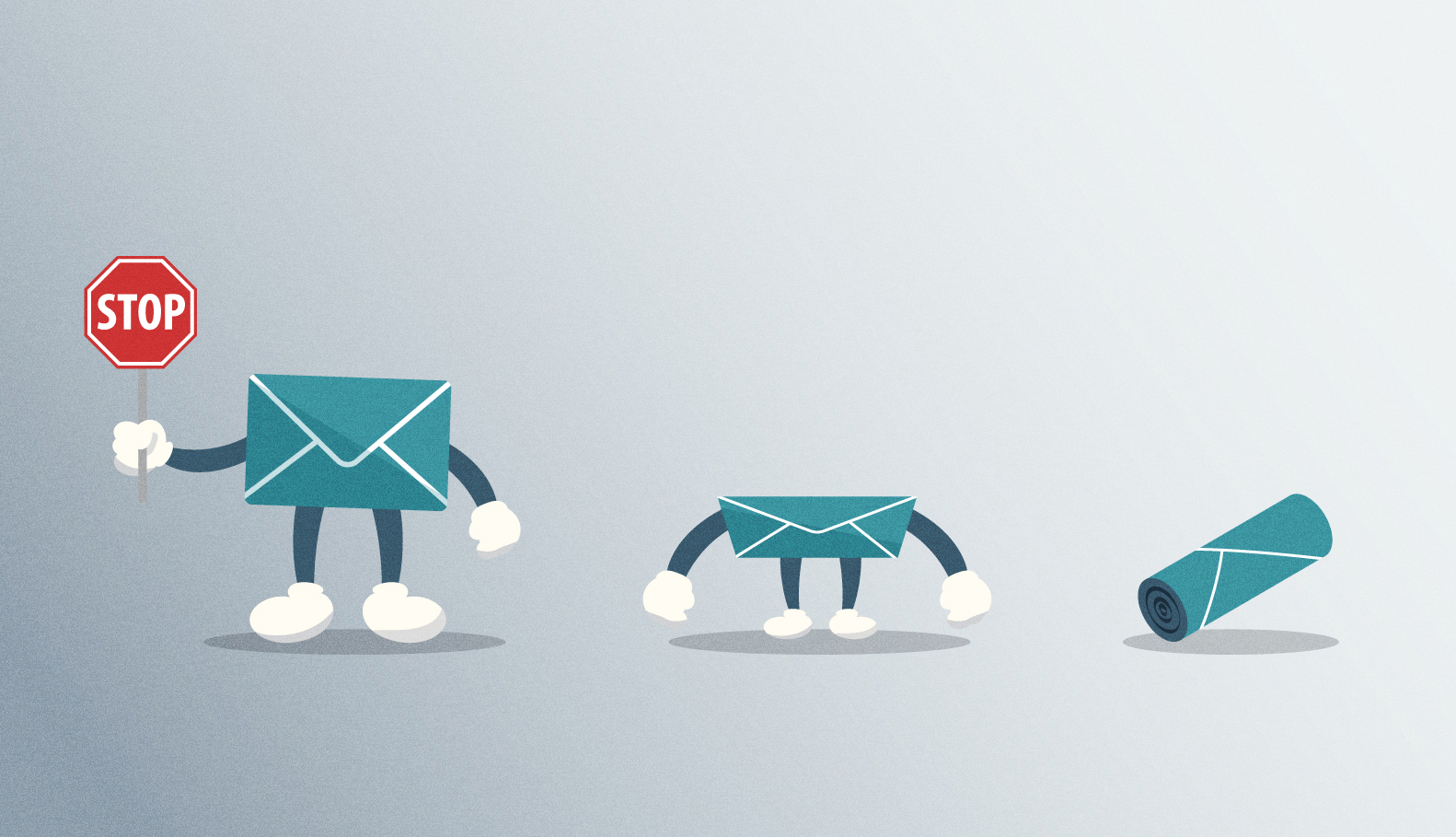
Stop, Drop, and Roll… For Emails
February 13, 2025
Disclaimer: We encourage “rolling” in the case of fire… Just not emails
By Julia, Deliverability Expert
Similar to the response time one may have to being engulfed in flames, I will make this insightful tidbit brief and to the point.
When it comes to block mitigation and server communication, we cannot control how the server responds… or even IF they respond. What we CAN control is how WE respond to the block.
To help make this as simple as possible, our email team has developed a memory tool from the simple and commonly-known (well, I hope it’s commonly known…) phrase “Stop, Drop and Roll.”
STOP
Stop sending completely
Pros – The issue will not progress/worsen; may help to refresh or recover IP/domain reputation
Cons – Domain/IP warming progress may be reversed (in some cases to the point of restarting)
DROP
Drop sending volume
Pros – Can halt a block or prevent further damage; may help to defend our sending practices in server communications
Cons – Can just prologue the inevitable (block) or prevent throttling limits from ever increasing
ROLL
Roll with it (proceed as you would if no issue occurred)
Pros – In rare cases, this issue resolves itself with no loss of volume or engagement for future sends
Cons – In many cases, this worsens the block, making it harder to resolve in this case and future cases for an indefinite amount of time
In contrast to one who may be caught on fire, our team actually discourages “rolling” in response to emailblocks and deliverability errors in most cases. As in the game of poker or the investment of stock, your risks should always be calculated.
Having reviewed that information, keep in mind that every case is different, and nothing is ever definite in the world of email marketing.
If you think you may have encountered a deliverability issue to any capacity and are considering how your team should respond, do not hesitate to reach out to your point of contact for further assistance.
For more information, contact our team for training or insight and visit your Nucleus Resource Library!
OR
Start sending with Nucleus today | Click here!
Deliverability
Emails
“That’s what I said – Spam traps!”
October 24, 2024
Goonies Never Say Die when it comes to Spam Traps
By Julia, Deliverability Expert
You’ve heard us mention “spam trap emails” – but do you know what that is?
Spam trap emails can catch even the least spammy of emails. This is because these email addresses are utilized specifically to locate senders who are not closely monitoring their recipient lists.
The thought process behind is that, should one of these “fake” emails enter your recipient list, it would be less likely that you are maintaining your recipient list so well that every email on it is a valid & confirmed subscriber.
Sending emails too many of these “recipients” could lead to many blocks that can be detrimental to your domain reputation and overall deliverability.
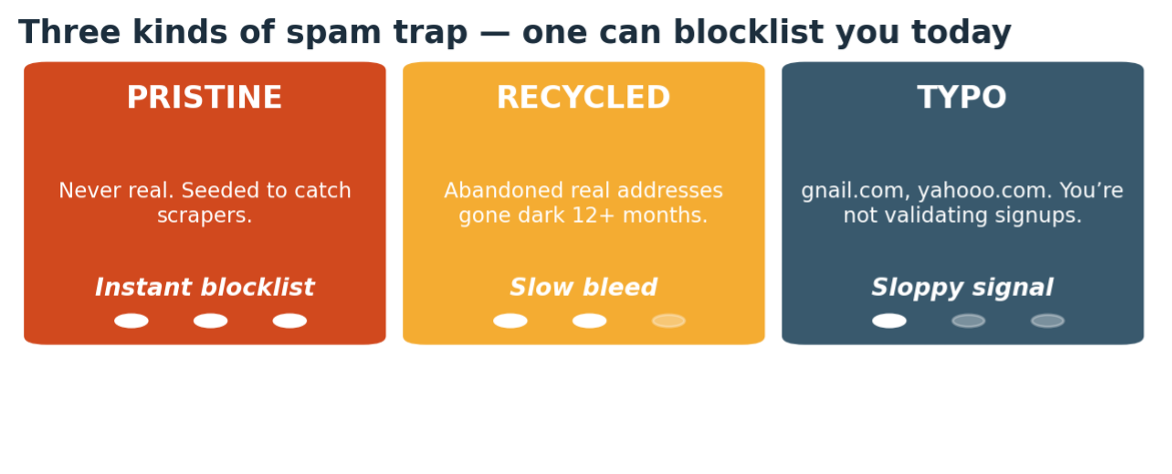
So how do you know which emails are spam traps? You don’t. They can be previously active but now expired emails, random emails made by servers for this purpose, and really anything in between. The servers use this method to help protect their users from receiving spam content but it surely adds an extra obstacle to those sending mass emails.
At the very least, you are now aware of what we mean when we say “spam traps” & at the very most, you’ll do your best to keep your email list as healthy as humanly possible.
AND LUCKY FOR YOU… we have a few in-platform tools to help you do just that.
Here are a few pointers to keep in mind regarding your recipient list:
ALWAYS turn on validations when importing new lists, especially large lists that may contain emails you are not personally familiar with…
Be sure to review recipient engagement and behavior – this is made easy with our Automation feature. Creating an engagement series for recipients who have not recently engaged with emails allows us to unsubscribe expired or uninterested recipients and their emails.
Respect the wishes of those who would like to be unsubscribed from your list. This means including visible unsubscribe links in all of our emails & reviewing responses for those who may have intended to unsubscribe. This is not only a legal requirement but will benefit you in the long-run. Angry recipients generally yield more spam complaints…
For more information about spam traps and how you can be proactive about keeping your recipient lists healthy, be sure to contact our team for training or insight.
For more information, please visit your Nucleus Resource Library!
OR
To experience these features yourself, click here!
Deliverability
Emails
What is a mitigation & what does it do? The mitigation process in its entirety
June 13, 2024
By Julia, Deliverability Expert
If you’ve sent emails on our platform & encountered deliverability issues, I am sure you’ve heard our email team say “I’ll put in a mitigation request for that & let you know if I hear back.”
…So, what does that entail?
We are going to quickly review what goes into a mitigation request & what follows the submission.
Let’s begin.
When we set up your domain for sending, we enroll in feedback loops that are in place to deliver an error message when we experience deliverability issues. These messages are supposed to help us determine which blocklist may be affecting our domain or IP.
Once we have located our block, there are resources provided by that specific server or blocklist on how to go about resolving our issues. In some cases, the only thing to do is stop sending to certain servers for a bit; lower level blocklists do not always offer mitigation but rather they have volume limits or temporary rate-limiting for a period of time. These are less concerning and do not require further action aside from resting your domain/IP briefly.
In the case that there is a form or email that requests can be submitted to, you will usually need to do so in order to resolve or lift the block.
These forms ask for a variety of details including but not limited to:
- Company facts (address, phone, website, business type, etc.)
- An email address that has successfully delivered with your messages previously
- Details on the communication and itself (newsletter, marketing, etc.)
- What you think may have caused the block & what you have done to prevent in future
- Any company issues that may have caused the issue (a broken program, any rogue employee actions, etc.)
Once we have filled out these forms, we are at the mercy of the server or blocklist. Some respond within an hour or a day or so, some never respond, and some (like Google) could take up to 2 weeks to even review your request.
Unless we receive a direct response, it is important to test deliverability periodically to see if our block was resolved without sending over confirmation.
It is important to avoid submitting too many or too frequent requests, as every request is monitored and generally tracked by your domain or IP. With this, we should maintain the submission of detailed mitigation requests and track our submissions to avoid overdoing them.
We understand blocks can be frustrating & that some are nearly impossible to resolve. That is why this is only the first step in our process to resolution; our email team has plenty other tricks up our sleeve if our requests should fail.
Deliverability
Emails
Fail or Pass: Understanding email bounces and deferrals
February 15, 2024
Fail or Pass
By Julia, Deliverability Expert
A saga of bounces and deferrals
As many of you are aware, we track the amount of fails each email encounters while it is attempting to send to your list of recipients. And, as some of you can attest, this can lead to some rather overwhelming statistics.
Before we get ourselves too worked up over a few failed email sends, let’s get a better idea of what we’re dealing with.
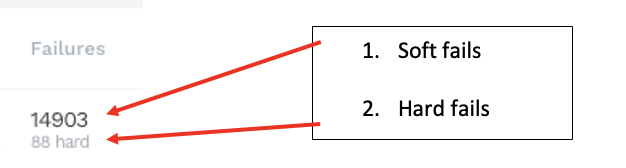
Our system, like many others of a similar nature, recognizes 2 types of failures:

Let’s think of soft fails as ‘deferrals’ – an email can defer multiple times & still ultimately go through. These can signify an impending block or simply be how that server delivers emails with a high volume of recipients.
Some servers, such as Verizon & Comcast, slowly deliver their messages so it can actually be common for them to have thousands of soft fails without having any hard fails. In some cases, a few messages may “time out.” This is still not necessarily a hard block.
Think of it as a waiting room with hundreds of people – they are either going to wait their turn (send) or they are going to get impatient and leave (time out).
Let’s think of hard fails as ‘bounces’ – an email can only bounce once. It either signifies a bad/invalid email, a server block, or the final soft fail.
It is important to look into these errors especially. Invalid emails should ALWAYS be removed from a recipient list; Server blocks always need appropriate attention and, when necessary, mitigation; and too many soft fails that permanently bounce means that we may be sending at too high of a volume.
Oftentimes, soft fails can be used proactively while hard fails generally require us to work reactively & learning how to best respond to both is key to successful email marketing. It is crucial to have an understanding of these types of errors because the quicker we respond to factors affecting our deliverability, the less damage they are able to cause.
Deliverability
Emails
Cracking the Code: Unveiling the Dynamics of Inbox Placement vs. Deliverability in Email Marketing
January 18, 2024
INBOX PLACEMENT VS. DELIVERABILITY
By Julia, Deliverability Expert
I’m sure you’ve wondered, at one point or another, what we are really monitoring during our domain warming phases.
Well, I’ll tell you…
The two main things we are watching while determining how quickly or slowly we can increase our sending volume is:
- Deliverability
- Inbox Placement
I am sure you’ve heard both of these terms used by our email team; let’s discuss what they are, why they are important, & how we can be tracking them.
The WHAT
Deliverability implies to the rate at which your sends are getting through to the server
Inbox placement refers to where your email lands – whether it lands in spam, your promotional inbox (‘other,’ ‘promotions,’ etc.), or your primary inbox.
The WHY
Deliverability is a key player in your email ‘delivering;’ it simply means the rate at which a server is allowing your messages through to the recipient. This does not ensure where the email will land within the inbox, just that the server did not fully block the message.
Inbox placement is, arguably, even more important because it determines where the email lands within the inbox. Since many of us are not regularly looking through our junk mailboxes, I think we can all agree the email will reach the most recipients when it is visible in the general inbox.
The HOW
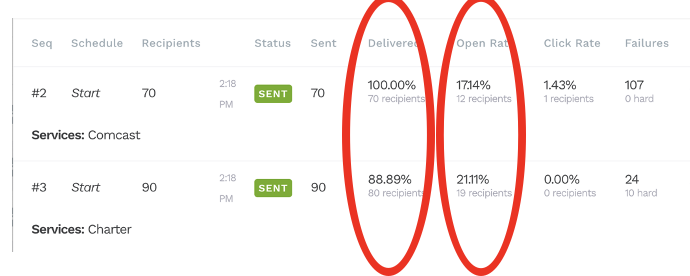
When it comes to tracking your success with deliverability, we are looking at our deliverability rate. The closer the deliverability rate is to 100%, the better!
In terms of our inbox placement, we will be monitoring our open rate. While it can be impossible to precisely measure our inbox placement, a higher open rate means that more people are likely seeing the email, meaning it is more likely to be landing in our recipients’ general inbox

The graphic above shows us a couple of different servers & their deliverability and open rate. It is a great example of how our deliverability & inbox placement can reflect on each server differently.